Changelog

What's new in Ollie

Ollie's an app for your phone, and he keeps getting better. Here's everything that's changed, newest first.

Ollie updates himself. Open him from your Home Screen and you're on the latest version: no App Store, nothing to install.

v1.0.1 Latest

Finding a gift, in three easy steps

We rebuilt finding a gift around how people really use Ollie: on their phone, in a spare minute. There's a new Find a gift tab, and each person's page is now three clear steps instead of one long scroll.
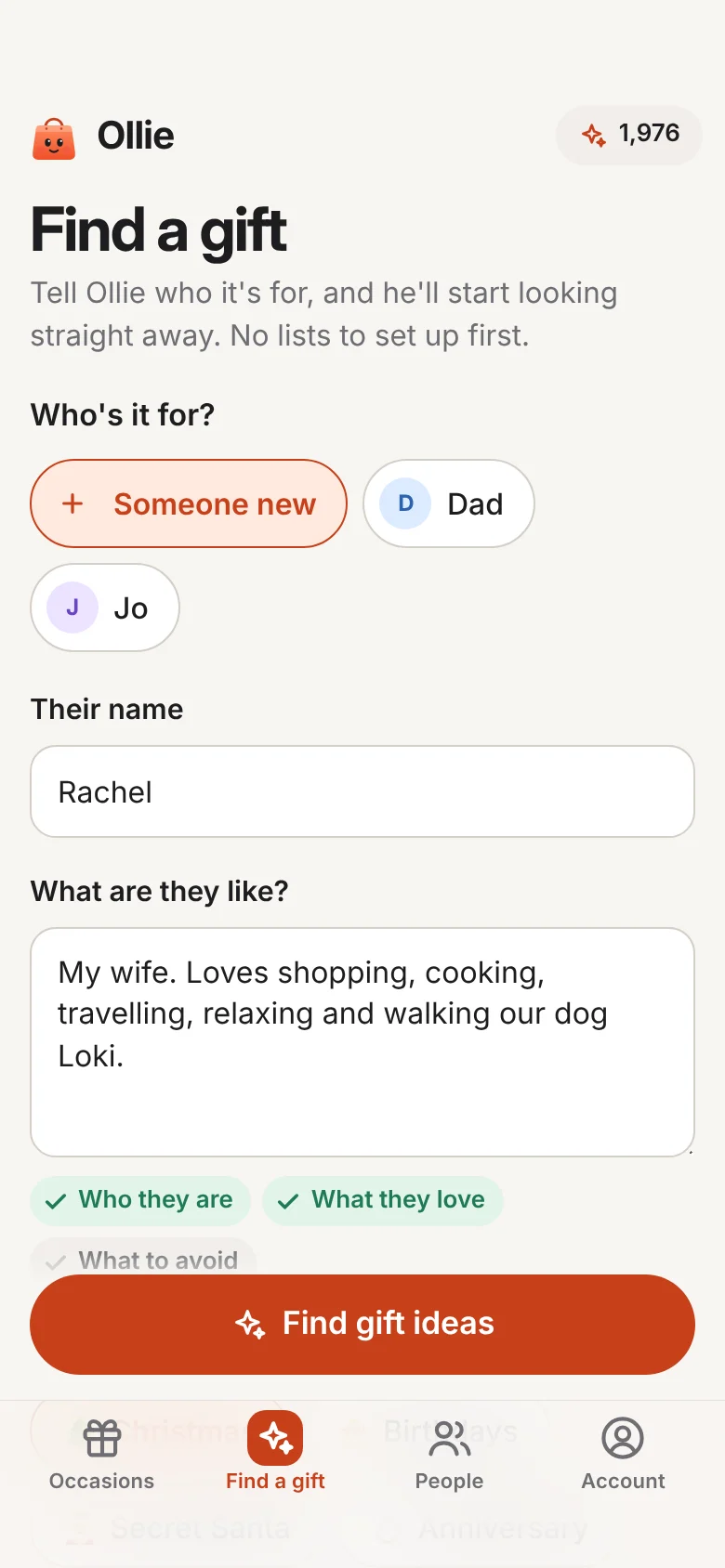
The new Find a gift screen: who it's for (someone new, called Rachel, described as loving shopping, cooking, travelling and walking the dog), what it's for and the budget, then Find gift ideas.
New Find a gift
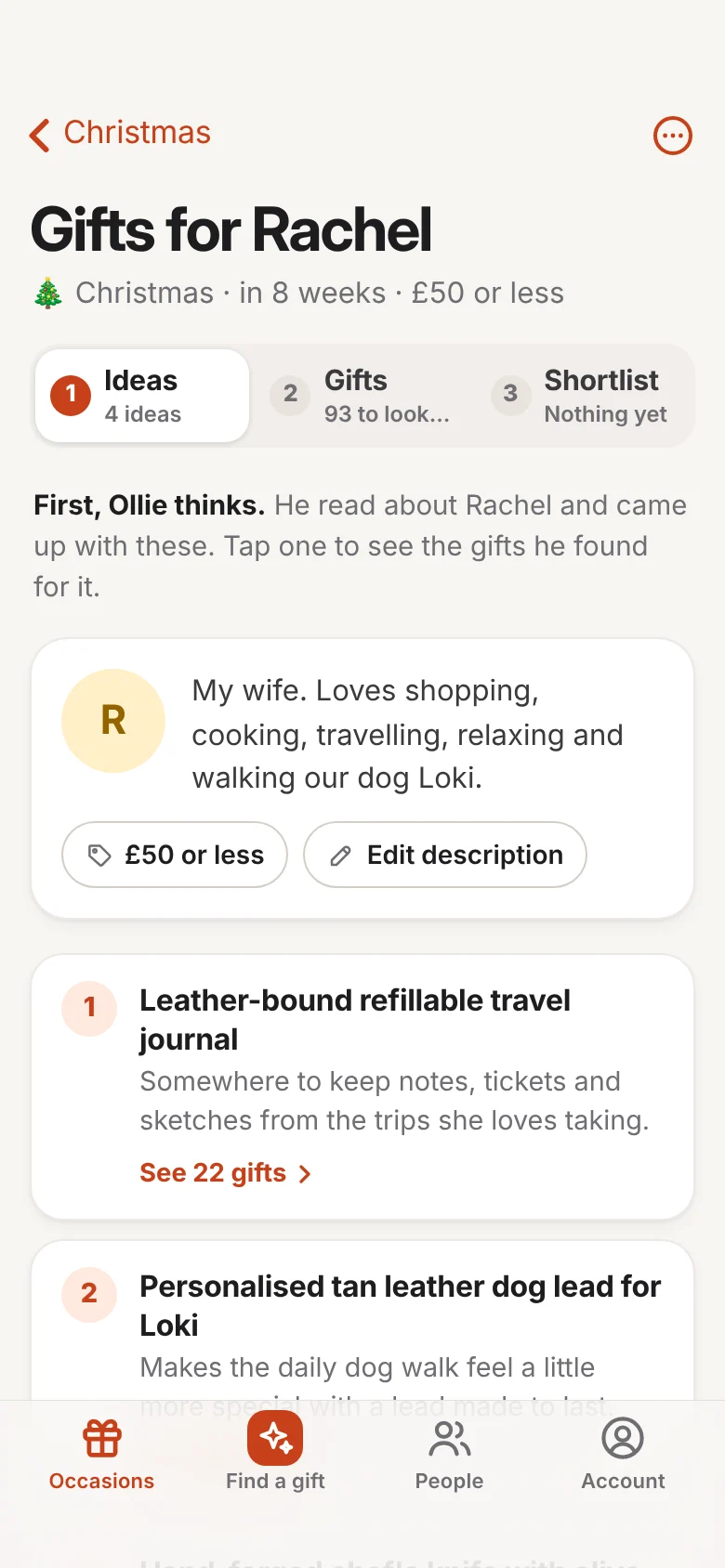
Gifts for Rachel, on step 1, Ideas: what Ollie knows about her, then his four ideas, starting with a leather-bound refillable travel journal.
1 Ideas
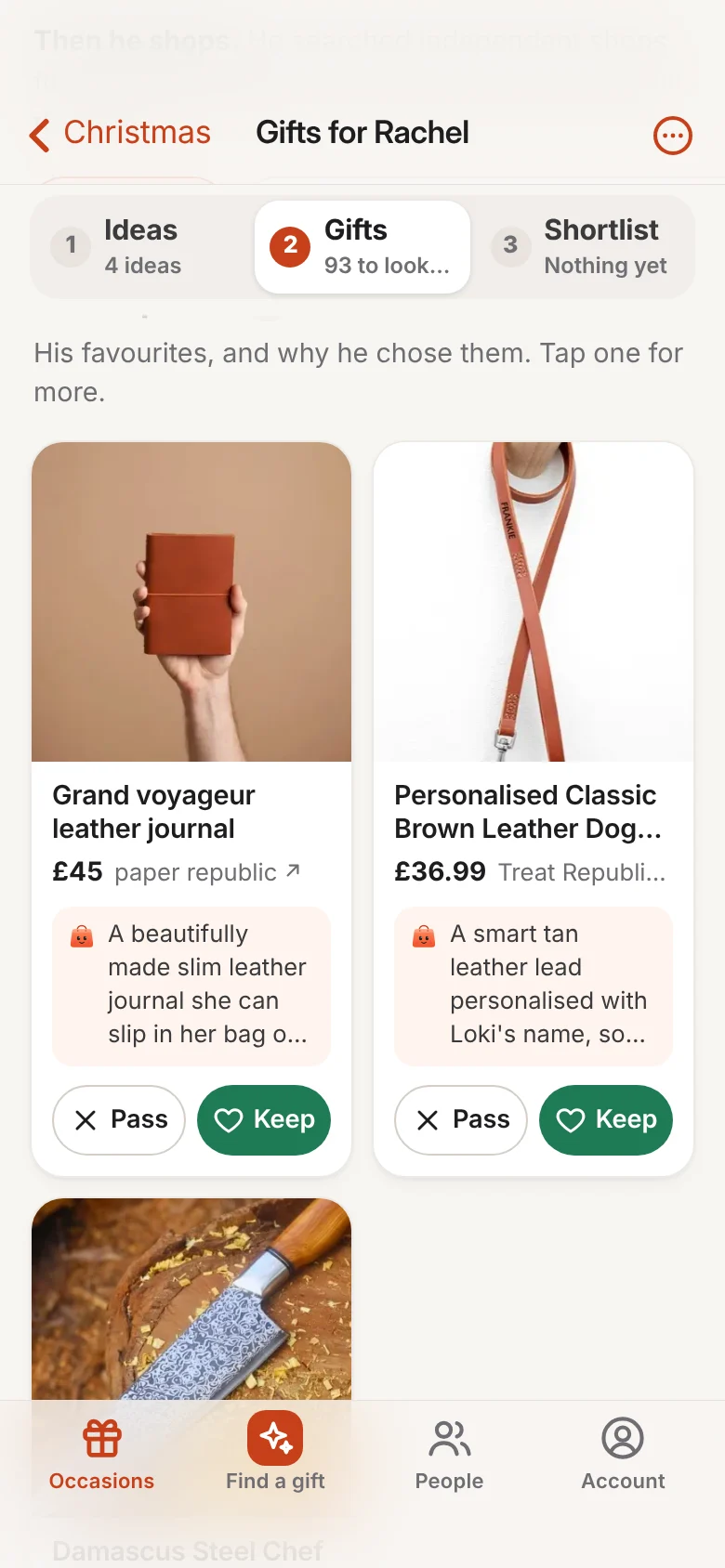
Step 2, Gifts: Ollie's picks two to a row, a leather journal and a personalised dog lead, each with his reason and Pass and Keep buttons.
2 Gifts
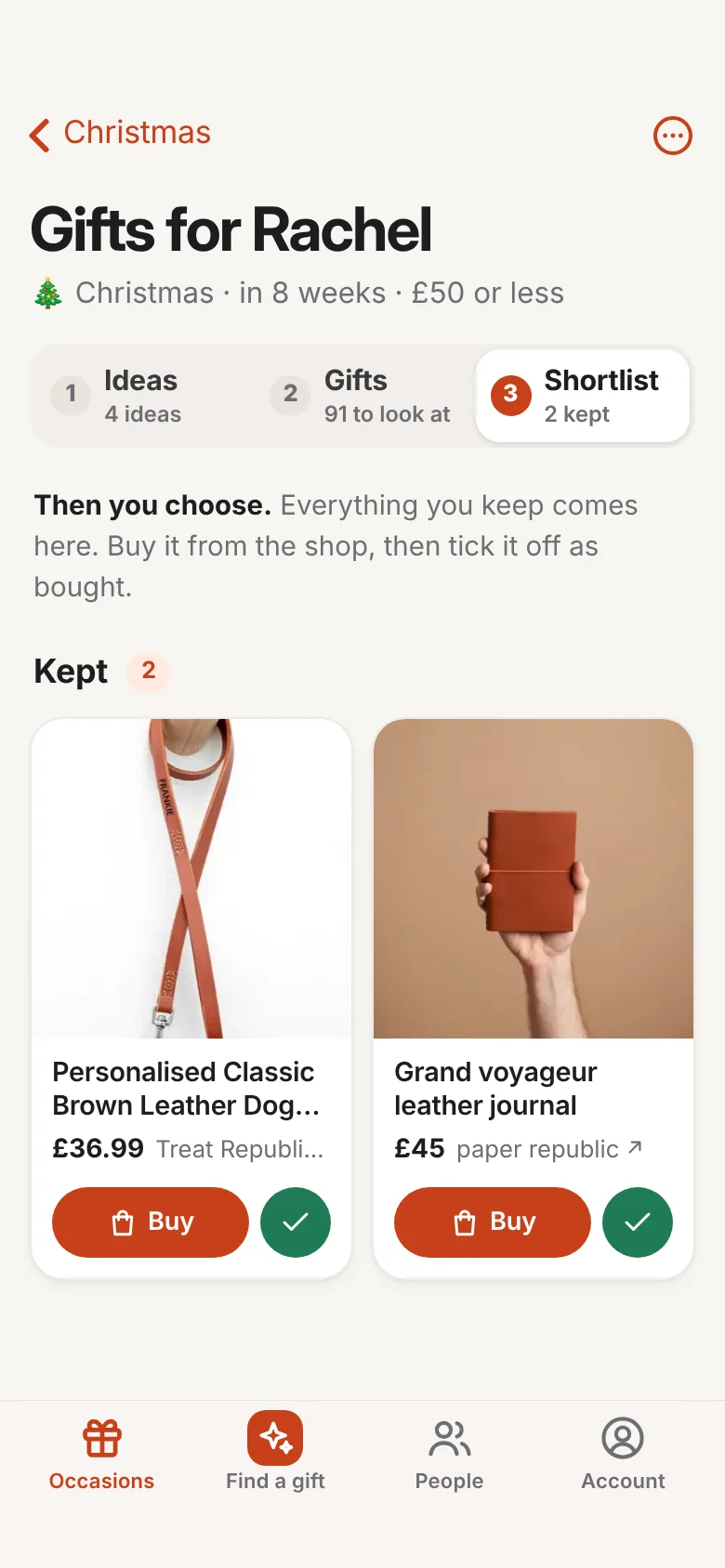
Step 3, Shortlist: the two gifts kept, each with a Buy button and a tick for when it's bought.
3 Shortlist
  • Find a gift New

    A new tab where you say who it's for, what it's for and your budget, all on one screen, and Ollie starts looking straight away. No lists to set up first. On Android it's a shortcut too: press and hold Ollie's icon.

  • Three steps: Ideas, Gifts, Shortlist Improved

    Each person's page is now three numbered steps, as tabs that stay at the top while you scroll: Ollie's ideas, the gifts he found, and the ones you've kept. Each keeps count, like "19 to look at" or "3 kept", so you always know what's left.

  • Gifts two to a row Improved

    On a phone, gifts now sit two across instead of one big card a screen, so you see more at a glance. Ollie's picks keep a few lines of why he chose them, with Keep and Pass right underneath.

  • Straight from an idea to its gifts Improved

    Tap one of Ollie's ideas, like "leather travel journal", and you're on the gifts he found for it.

  • A tidier More ideas button Improved

    It only shows on the Gifts step, and tucks itself away while you scroll, so it never covers a Keep button.

v1.0.0

Hello, Ollie

Ollie's first day: a personal shopping assistant for your phone. Describe the people you buy for, and he finds presents they'll love from independent shops.

  • Describe anyone

    A sentence or two about who they are and what they love, and a budget. That's all Ollie needs.

  • Ideas first, then real gifts

    Ollie thinks up the kinds of present they'd love, then searches independent shops for about 100 real, in-stock products that fit your budget.

  • Every pick says why

    His favourites come first, each with a line on why it suits them.

  • Keep or pass, and he learns

    Keep the ones you like and pass on the rest. Every choice sharpens his next search, and he never shows you a pass again.

  • A list for every occasion

    Christmas, birthdays, Secret Santa: put anyone on any list, each with its own budget. Tick off what you've bought, and he won't suggest it again next year.

  • An app, no App Store needed

    Add Ollie to your Home Screen from Safari or Chrome. He opens full screen like any other app, on an iPhone, an Android phone or a computer.

  • 100 free credits to start

    Every new account gets 100 free credits, and a few short welcome steps that end in your first search.

Get Ollie on your phone.

He takes a minute to add to your Home Screen, and he's always on the latest version. Describe someone, and he'll find them something they'll love. Start free with 100 credits, no App Store needed.